Profit and Loss Statement for Self-Employed People, With an Example
By Cells and Cents. Published November 19, 2026.
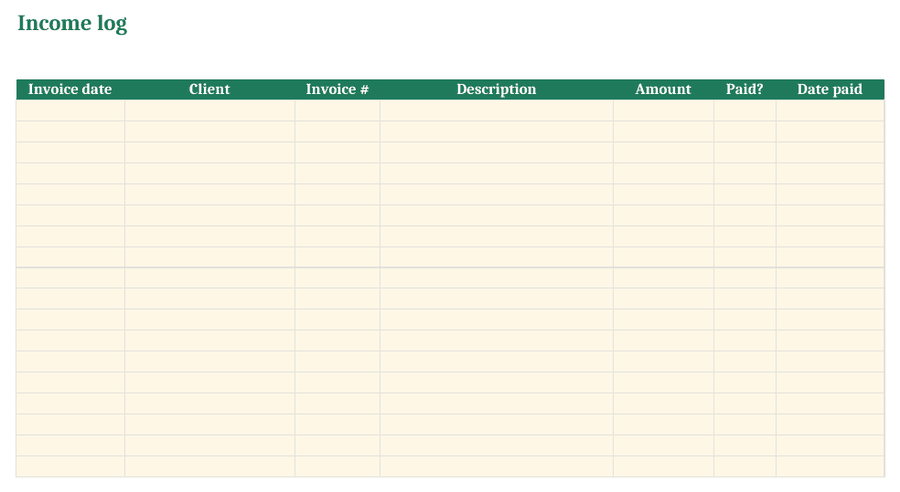
A profit and loss statement for self-employed people lists your business income and expenses for a set period and subtracts one from the other to show net profit. You can build one from your invoice and expense logs. In our made-up example, $32,925.00 received minus $3,200.40 of expenses leaves $29,724.60.
This is for informational purposes only and is not tax, legal, or financial advice.
Below we cover what goes on a profit and loss statement (often shortened to P&L), why the date you were paid matters, and a worked example: a made-up freelance designer's first ten months of 2026, entered in the Freelancer Income and Expense Tracker and recalculated from the file itself. If you are still setting up your log, start with our income and expense spreadsheet guide.
What a profit and loss statement is
IRS Publication 583 says good records help you prepare financial statements, including income (profit and loss) statements and balance sheets, and that these statements can help you in dealing with your bank or creditors and help you manage your business. It defines an income statement as one that shows the income and expenses of the business for a given period of time (IRS Publication 583).
The SBA's business plan guide gives one place you might use it: if your business is already established and you are asking for financing, it says to include income statements, balance sheets, and cash flow statements for the last three to five years (SBA: Write your business plan).
A profit and loss statement is not a balance sheet. A balance sheet shows assets, liabilities, and your equity on a given date, while a P&L covers a span of time. The tracker in this guide does not build a balance sheet.
What goes on one
A simple P&L for a one-person business has four parts:
- The period it covers, for example January 1 to October 31, 2026. Without dates, the numbers mean little.
- Income: the money your business took in during that period.
- Expenses by category: each type of business cost, with a total.
- Net profit: income minus total expenses. If expenses are larger, the result is a net loss.
The IRS form that sole proprietors use to report this for taxes is Schedule C (Form 1040), Profit or Loss From Business. Your own P&L can cover any period you need, while Schedule C covers the tax year and has its own lines. The tracker's starter expense categories loosely follow Schedule C lines, and its instructions say to ask a tax professional how your expenses should actually be classified. Our list of self-employed tax deductions by Schedule C line shows the categories the IRS recognizes.
Income received, not income invoiced
Pick one rule for when income counts, and use it for the whole statement. IRS Publication 334 says that under the cash method, you include in gross income all items of income you actually or constructively receive during your tax year, and you generally deduct expenses in the tax year in which you actually pay them (IRS Publication 334). Its example: a client sent a check on December 30, 2024 for services you provided, you received it on January 4, 2025, and it is income for 2025.
The Freelancer Income and Expense Tracker works on that received basis for income. Its Dashboard counts an invoice as income received in the month of its date paid, and only when Paid is set to Yes. Unpaid invoices are totaled separately, with a count. Expenses are totaled by the date you enter on each expense row.
Worked example: a designer's year-to-date P&L
Here is a made-up freelance graphic designer who needs a P&L for January 1 to October 31, 2026. We entered sample rows into a copy of the Freelancer Income and Expense Tracker with the Dashboard year set to 2026, and recalculated it in LibreOffice. We also added up the same rows separately in a short script, and every total matched to the cent. These are sample numbers only, not a suggestion for what anyone should earn or spend.
Step 1: the Income tab
Seventeen invoices, shown here by the month each was paid:
- January: $1,800.00 (invoiced December 18, 2025, paid January 9, 2026) and $2,250.00
- February: $1,450.00 and $2,100.00
- March: $2,600.00 and $975.00
- April: $3,100.00
- May: $1,850.00
- June: $1,200.00 (invoiced May 20, paid June 3) and $2,400.00
- July: $2,750.00
- August: $1,125.00 (invoiced July 21, paid August 4) and $2,300.00
- September: $1,950.00
- October: $2,875.00 (invoiced September 29, paid October 6) and $2,200.00
- Still unpaid: $1,650.00, invoiced October 26, 2026, Paid No
Step 2: the Expenses tab
Four costs repeat every month from January through October, with one row each month:
- Software and subscriptions: $59.99 design software plan
- Phone and internet: $45.00 business phone line
- Insurance: $32.50 monthly premium
- Bank and payment fees: $25.00 payment platform plan
Plus nine one-time rows: $75.00 business license (Taxes and licenses, February 10), $300.00 bookkeeper records review (Legal and professional, March 14), $150.00 portfolio promotion (Advertising, April 2), $186.40 client workshop trip (Travel, May 11), $129.00 typography course (Education, June 9), $46.83 printer ink (Office expense, July 15), $500.00 spot illustrations from another freelancer (Contract labor, August 12), $38.27 sketchbooks and markers (Supplies, September 3), and $150.00 portfolio promotion (Advertising, October 7).
That is 49 expense rows in total.
Step 3: what the Dashboard shows
- Year to date: income received $32,925.00, expenses $3,200.40, profit $29,724.60
- Unpaid invoices: $1,650.00, count 1
- November and December: $0.00, since nothing is logged yet
- Category year totals: Software and subscriptions $599.90, Contract labor $500.00, Phone and internet $450.00, Insurance $325.00, Legal and professional $300.00, Advertising $300.00, Bank and payment fees $250.00, Travel $186.40, Education $129.00, Taxes and licenses $75.00, Office expense $46.83, Supplies $38.27, and $0.00 in every other category
Step 4: write it up as a statement
Copy those Dashboard figures into a one-page statement, largest expense first:
Profit and loss statement, January 1 to October 31, 2026 (cash basis, made-up example)
- Income received: $32,925.00
- Software and subscriptions: $599.90
- Contract labor: $500.00
- Phone and internet: $450.00
- Insurance: $325.00
- Legal and professional: $300.00
- Advertising: $300.00
- Bank and payment fees: $250.00
- Travel: $186.40
- Education: $129.00
- Taxes and licenses: $75.00
- Office expense: $46.83
- Supplies: $38.27
- Total expenses: $3,200.40
- Net profit: $29,724.60
Step 5: check that it adds up
- Expenses: the four monthly costs come to $59.99 + $45.00 + $32.50 + $25.00 = $162.49 a month, or $1,624.90 over ten months. The nine one-time rows add up to $1,575.50. Together: $1,624.90 + $1,575.50 = $3,200.40, the same as the category total.
- Net profit: $32,925.00 minus $3,200.40 = $29,724.60.
- Received versus invoiced: the 16 invoices dated in 2026 add up to $32,775.00. Take out the $1,650.00 still unpaid and add the $1,800.00 December 2025 invoice paid in January: $32,775.00 minus $1,650.00 plus $1,800.00 = $32,925.00, the income received figure.
- Timing: the $2,875.00 invoice dated September 29 counts in October, the month it was paid, so September income received is $1,950.00 and October is $5,075.00.
A quarter at a time
The Dashboard's monthly rows also give you quarterly totals. Add three months of income received and expenses:
- January to March: income $11,175.00, expenses $862.47, profit $10,312.53
- April to June: income $8,550.00, expenses $952.87, profit $7,597.13
- July to September: income $8,125.00, expenses $1,072.57, profit $7,052.43
- October: income $5,075.00, expenses $312.49, profit $4,762.51
Those four profits add up to $29,724.60, the year-to-date figure. One limit: the category column on the Dashboard is a year total, so for a quarterly P&L by category, sort the Expenses tab by date and add up that quarter's rows.
What the tracker does not do for you
- It totals what you log. The Meals (50%) category adds up the full amounts you enter. It does not apply any limit for you.
- The set-aside column is not an expense. The Dashboard also shows a "Set aside for tax" amount: each month's profit (if positive) times the percentage you enter. Leave it off the P&L. It is an estimate for planning, not a cost of the business. For picking that percentage, see how much to set aside for taxes when self-employed.
- It has no balance sheet and does not connect to bank accounts. Keep the receipts and statements behind each row. The IRS says your recordkeeping system should include a summary of your business transactions, and that your books must show your gross income as well as your deductions and credits (IRS: What kind of records should I keep).
Setting up your own P&L
- On the Dashboard, set the year.
- On the Categories tab, rename the starter categories to match how you spend.
- Log each invoice on the Income tab. Change Paid to Yes and enter the date paid when the money arrives.
- Log each business expense on the Expenses tab with its date and category.
- When someone asks for a P&L, write down the period, then copy income received, each category total, total expenses, and profit from the Dashboard.
The Freelancer Income and Expense Tracker costs $17. It holds up to 500 invoices and 1,000 expenses, and its Dashboard shows monthly and year-to-date profit, unpaid invoices, a category breakdown, and a set-aside estimate for taxes. It is built for Excel, with no macros. If you also want to plan a month before it happens, see our business budget template in Excel.
Sources
- IRS Publication 583, Starting a Business and Keeping Records: income (profit and loss) statements and balance sheets, and what an income statement shows
- IRS Publication 334, Tax Guide for Small Business: income and expenses under the cash method, and the December check example
- IRS: About Schedule C (Form 1040), Profit or Loss From Business
- IRS: What kind of records should I keep: a summary of business transactions, and books that show gross income, deductions and credits
- SBA: Write your business plan: income statements in the financial section when seeking financing
- Freelancer Income and Expense Tracker template page: features and price. The 500 invoice and 1,000 expense limits are the row ranges in the template file itself
- All example results: entered as made-up sample rows in a copy of the tracker and recalculated from its own formulas in LibreOffice on November 17, 2026
FAQ
What is a profit and loss statement for self-employed people?
It is a summary of your business income and expenses for a set period, such as a quarter, a year, or the year to date, ending in net profit (income minus expenses). IRS Publication 583 calls it an income (profit and loss) statement and says it shows the income and expenses of the business for a given period of time.
How do I make a profit and loss statement if I am self-employed?
Log every invoice with the date you were paid, and every business expense with a date and a category. For the period you need, add up income received, total each expense category, subtract total expenses from income, and write the result down with the dates it covers. A tracker that totals by month and by category does the adding for you.
Is a profit and loss statement the same as Schedule C?
No. Schedule C (Form 1040), Profit or Loss From Business, is the IRS form a sole proprietor uses to report business income or loss for the tax year. A profit and loss statement is your own summary, for whatever period you choose. A full-year statement from good records is a useful starting point for Schedule C, but the form has its own lines and rules, so check them or ask a tax professional.
Should unpaid invoices count as income on my profit and loss statement?
On a cash basis, no. IRS Publication 334 says that under the cash method you include income in the year you actually or constructively receive it. The Freelancer Income and Expense Tracker follows that idea. It counts an invoice only when it is marked paid, in the month of its date paid, and totals unpaid invoices separately.
What does the worked example show?
A made-up freelance designer's log from January 1 to October 31, 2026. Income received was $32,925.00, expenses were $3,200.40 across 12 categories, and net profit was $29,724.60. One $1,650.00 invoice was still unpaid and is not in income, and a December 2025 invoice paid on January 9, 2026 counts in 2026.
Related template
Freelancer Income and Expense Tracker
Log invoices and expenses, see profit by month, and stay ready for tax time.
$17
View template