Business budget template in Excel: a one-person example
By Cells and Cents. Published November 4, 2026.
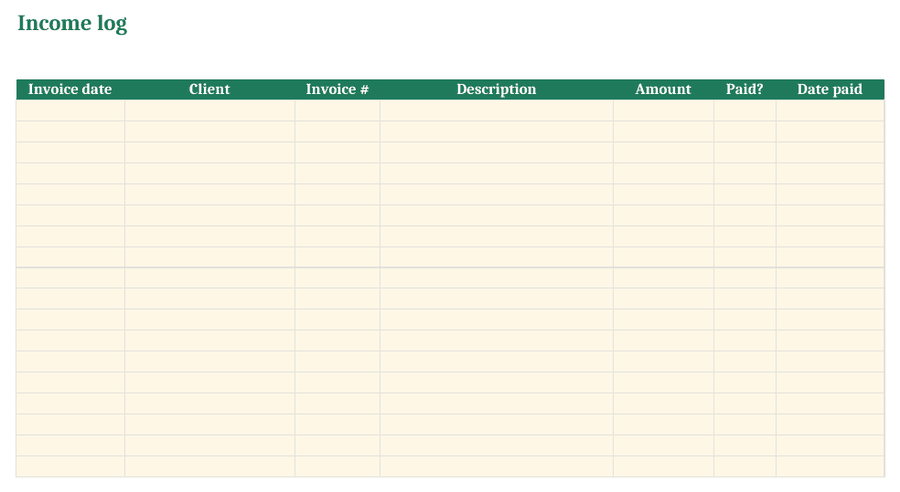
A business budget template in Excel for a one-person business is a plan for the month's income and each expense category, checked against what actually came in and went out. In our made-up example, a freelancer planned $4,500.00 of income and $770.00 of expenses, and the tracker showed $4,850.00 received, $774.33 spent and $4,075.67 profit.
This is for informational purposes only and is not tax, legal, or financial advice.
Big business budget templates come with departments, payroll and multi-year forecasts. A one-person business needs much less: a list of what you expect to earn, a planned amount for each kind of expense, and a record of what really happened. Below we cover how to pick categories, why the timing of payments matters, and then walk through one made-up month entered in our spreadsheet. Every actual figure in the example comes from recalculating the template file itself.
What a business budget is for a one-person business
The U.S. Small Business Administration (SBA) page Manage your finances says that accounting for revenue and expenses can help keep your business running smoothly. It also says that looking closely at money in and money out helps maintain a sustainable balance between profit and loss, and that it is important to categorize expenses.
In its section on marketing plans, the same page says a budget should include a complete breakdown of the costs, and that you will want to keep tracking your costs once you put your plan into action. That is the whole idea of a small business budget, applied to the entire business instead of one plan:
- Plan. Write down the income you expect this month and a planned amount for each expense category.
- Track. Log every invoice and every business expense as it happens.
- Compare. At month end, put the plan next to the actual totals and look at the differences.
- Adjust. Use what you learned to set next month's plan.
Picking expense categories
Categories work best when they match how your money actually goes out. Too few and the budget tells you nothing; too many and you spend more time sorting than planning.
The Categories tab of our Freelancer Income and Expense Tracker starts with 18 names: Advertising, Car and truck, Contract labor, Insurance, Legal and professional, Office expense, Rent or lease, Repairs, Supplies, Taxes and licenses, Travel, Meals (50%), Utilities, Software and subscriptions, Phone and internet, Education, Bank and payment fees, and Other. You can edit the names, and they feed the Expenses tab dropdown and the Dashboard.
Those starter names loosely follow the expense lines of Schedule C, the IRS form for profit or loss from a business. The 2025 Instructions for Schedule C describe what goes on several of those lines, and the draft 2026 instructions use the same wording for these lines, for example:
- Line 11, contract labor: payments to persons you do not treat as employees (for example, independent contractors) for services performed for your trade or business.
- Line 17: fees charged by accountants and attorneys.
- Line 18: expenses for office supplies and postage.
- Line 25: utility expenses for your trade or business.
- Line 48: other ordinary and necessary business expenses not deducted elsewhere on Schedule C.
We use those lines here only as a guide to naming categories. Which line an expense belongs on, and whether it is deductible, is a question for the IRS instructions or a tax professional, and the tracker's own instructions say the same.
Plan income by when you expect to be paid
The SBA page explains two ways of recording transactions. The accrual method puts a transaction on the books when the sale is completed. The cash method records it only once payment has been received. In the SBA's example, a sale made in January and paid with $200 in February lands on February's books under the cash method.
The tracker's Dashboard works on the cash side of that idea. It counts an invoice as income received in the month of its date paid, and only when the Paid column says Yes. Unpaid invoices show separately as a total and a count. So when you plan income for the month, plan it by when you expect clients to pay, not by when you send the invoice.
Worked example: a small business budget for one freelancer's October
Here is a made-up freelance designer's October 2026. We wrote the plan as a short list, then entered sample rows into a copy of the Freelancer Income and Expense Tracker with the Dashboard year set to 2026, and recalculated it with LibreOffice.
Step 1: the plan
- Planned income received: $4,500.00
- Advertising: $100.00
- Contract labor: $400.00
- Office expense: $30.00
- Software and subscriptions: $70.00
- Phone and internet: $45.00
- Education: $50.00
- Bank and payment fees: $75.00
- Planned expenses in total: $770.00
- Planned profit: $4,500.00 minus $770.00 = $3,730.00
Step 2: the Income tab
- Invoice date Sep 24, 2026, Client A, INV-0107, logo package, $1,800.00, Paid Yes, date paid Oct 6, 2026
- Invoice date Oct 5, 2026, Client B, INV-0108, menu design, $650.00, Paid Yes, date paid Oct 12, 2026
- Invoice date Oct 14, 2026, Client C, INV-0109, website graphics, $2,400.00, Paid Yes, date paid Oct 28, 2026
- Invoice date Oct 27, 2026, Client B, INV-0110, social media templates, $975.00, Paid No, no date paid
Step 3: the Expenses tab
- Oct 1, design software, Software and subscriptions, monthly plan, $59.99
- Oct 3, cloud storage, Software and subscriptions, monthly plan, $9.99
- Oct 8, phone carrier, Phone and internet, business line, $45.00
- Oct 10, freelance illustrator, Contract labor, illustrations for INV-0109, $350.00
- Oct 15, online ads, Advertising, portfolio ad, $125.50
- Oct 21, office store, Office expense, printer paper and postage, $23.47
- Oct 28, online course, Education, typography course, $89.00
- Oct 31, payment processor, Bank and payment fees, card processing fees, $71.38
Step 4: what the Dashboard shows
- October income received: $4,850.00
- October expenses: $774.33
- October profit: $4,075.67
- Unpaid invoices: $975.00, count 1
- Category year totals: Advertising $125.50, Contract labor $350.00, Office expense $23.47, Software and subscriptions $69.98, Phone and internet $45.00, Education $89.00, Bank and payment fees $71.38, and $0.00 in every other category
Because every expense and every payment in the sample falls in October 2026, the year-to-date row and the category year totals match October.
Step 5: compare the plan with the actuals
Actual minus plan, line by line:
- Income received: $4,850.00 minus $4,500.00 = $350.00 above plan. The $1,800.00 September invoice was paid on October 6, so the Dashboard counted it in October. The $975.00 invoice from October 27 is unpaid, so it is not in October's income yet.
- Advertising: $125.50 minus $100.00 = $25.50 over.
- Contract labor: $350.00 minus $400.00 = $50.00 under.
- Office expense: $23.47 minus $30.00 = $6.53 under.
- Software and subscriptions: $69.98 minus $70.00 = $0.02 under.
- Phone and internet: $45.00 minus $45.00 = $0.00, right on plan.
- Education: $89.00 minus $50.00 = $39.00 over.
- Bank and payment fees: $71.38 minus $75.00 = $3.62 under.
- Total expenses: $774.33 minus $770.00 = $4.33 over. The two categories over plan add up to $64.50 and the four under plan add up to $60.17, a net of $4.33.
- Profit: $4,075.67 minus $3,730.00 = $345.67 above plan, almost all of it from the timing of one payment.
Reading it this way shows that spending was close to plan overall, with Education and Advertising running over, and that the profit gap came from when a client paid. A November plan for this made-up freelancer might count the $975.00 unpaid invoice as expected income if the client is likely to pay in November.
The Dashboard also has a Set aside for tax column, which multiplies each month's profit by a percentage you enter. We leave it out of this example. To work out your own number, see our guide on how much to set aside for taxes when self-employed.
These numbers apply to this made-up month only. Your categories, amounts and payment timing will be different.
Setting up your own business budget
- On the Dashboard, set the year.
- On the Categories tab, rename or replace the starter categories so they match your business.
- Write your monthly plan: expected income received, and a planned amount for each category you use. The tracker does not have a planned column, so keep the plan as a short list beside it.
- Log each invoice on the Income tab and mark Paid as Yes or No, adding the date paid when the money arrives.
- Log every business expense on the Expenses tab and pick its category from the dropdown.
- At month end, compare the Dashboard's monthly row and category totals with your plan, then set next month's plan.
Which template fits
The Freelancer Income and Expense Tracker costs $17. It logs up to 500 invoices and 1,000 expenses, and its Dashboard shows monthly and year-to-date income, expenses and profit, unpaid invoices, and a category breakdown. It is built for Excel.
If you also want a household budget with planned and actual amounts side by side, the Monthly Budget costs $12 and has budgeted vs actual columns with automatic differences, 12 monthly tabs and a yearly summary. Our self-employed tax deductions guide covers the expense side in more detail. If you make estimated payments, the 2026 estimated tax due dates, including January 15, 2027, are in a separate guide.
Sources
- U.S. Small Business Administration, Manage your finances: accounting for revenue and expenses, categorizing expenses, the cash and accrual methods with the $200 January and February example, and tracking costs against a marketing plan budget
- IRS, 2025 Instructions for Schedule C (Form 1040): what goes on lines 11, 17, 18, 25 and 48, used here only for category names. The draft 2026 instructions (Oct 8, 2026, not for filing) use the same wording for these lines, and the final 2026 Schedule C keeps the same line numbers
- Freelancer Income and Expense Tracker template page: features and price. The 500 invoice and 1,000 expense limits are the row ranges in the template file itself
- All example results: entered as made-up sample rows and recalculated from the tracker's own formulas on November 2, 2026
FAQ
What is a business budget template in Excel?
It is a spreadsheet where you plan a month's business income and the amount for each expense category, then record what actually came in and went out so you can compare the two. For a one-person business, the plan can be a short list and the actuals come from your invoice and expense logs.
What categories should a small business budget have?
Use the categories your business actually spends money in. The Freelancer Income and Expense Tracker starts with 18 that loosely follow Schedule C, such as Advertising, Contract labor, Insurance, Legal and professional, Office expense, Supplies, Travel, Utilities, Software and subscriptions, Phone and internet, Education, Bank and payment fees and Other. You can rename them on the Categories tab.
Does the Freelancer Income and Expense Tracker have a planned or budget column?
No. It records actual invoices and expenses and totals them by month and by category on the Dashboard. You keep the plan next to it, as a short list of planned income and planned amounts per category, and compare. For a household budget with budgeted and actual columns side by side, the Monthly Budget template has automatic differences.
Why did income come in above plan in the example?
The Dashboard counts an invoice as income received in the month of its date paid, and only when Paid is set to Yes. In the example, a September invoice was paid on October 6, so it counted in October, and an October invoice that was still unpaid did not count yet. Planning income by when you expect to be paid keeps the plan and the Dashboard on the same basis.
Does the tracker figure out taxes for me?
No. The Dashboard has a Set aside for tax column that multiplies each month's profit by a percentage you enter yourself, and that percentage is a placeholder, not advice. Our guide on how much to set aside for taxes when self-employed explains how to work out your own number.
Related templates
Freelancer Income and Expense Tracker
Log invoices and expenses, see profit by month, and stay ready for tax time.
$17
View templateMonthly Budget
Plan every dollar for the month and see what is left at a glance.
$12
View template