How to Build an Emergency Fund, Step by Step
By Cells and Cents. Published November 11, 2026.
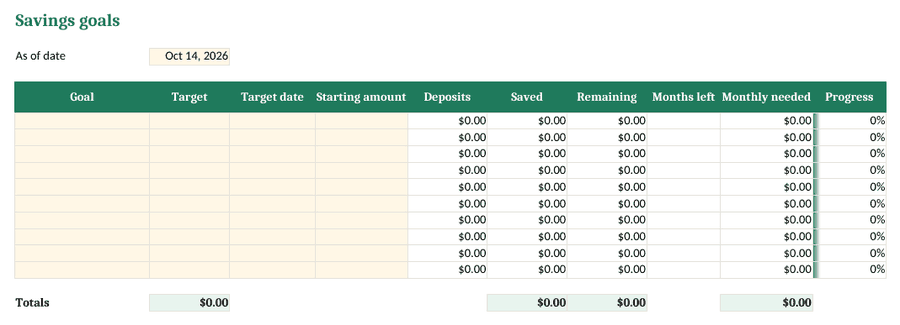
To build an emergency fund, add up your essential monthly expenses, choose how many months you want covered, and multiply to get a target. Subtract what you have already saved, divide the rest by the months until your target date, then save that amount on a schedule and refill the fund whenever you use it.
This is for informational purposes only and is not tax, legal, or financial advice.
Below we cover what an emergency fund is for, how to size one, how to turn the target into a monthly amount, where people keep it, and a worked example: a made-up emergency fund entered in our Savings Goals Tracker, including one withdrawal, and recalculated from the file itself.
What an emergency fund is for
The Consumer Financial Protection Bureau's guide to building an emergency fund defines it as a cash reserve that is specifically set aside for unplanned expenses or financial emergencies. Its examples are car repairs, home repairs, medical bills, or a loss of income. It says emergency savings can be used for large or small unplanned bills that are not part of your routine monthly spending.
The same guide points out that without savings, even a minor financial shock could set you back, and that people who struggle to recover may rely on credit cards or loans, or pull from other savings such as retirement funds.
Unexpected expenses are common. In the Federal Reserve's Report on the Economic Well-Being of U.S. Households in 2025 (published May 2026), 59 percent of adults had at least one major, unexpected expense in the prior 12 months. The most common was a major vehicle repair or replacement (30 percent of adults).
An emergency fund is different from a sinking fund. A sinking fund is for a cost you can see coming and put a date on, like an insurance renewal. An emergency fund is for the costs you cannot predict.
Step 1: size the target
The CFPB says the amount you need depends on your situation. It suggests thinking about the most common kind of unexpected expenses you have had in the past and how much they cost, which may help you set a goal.
A common way to put a number on it is months of expenses. The Federal Reserve report's savings and investments chapter calls having savings sufficient to cover three months of expenses, if you lost your main source of income, one common measure of financial resiliency. In 2025, 55 percent of adults said they had set aside three months of expenses in an emergency or "rainy day" fund.
To size a months-of-expenses target:
- List your essential monthly expenses, the bills you would still need to pay if income stopped: housing, utilities, groceries, transportation, insurance, phone, and minimum debt payments.
- Add them up.
- Multiply by the number of months you want covered.
The Emergency Fund tab of the Savings Goals Tracker does step 3 for you: enter your essential monthly expenses and a months of coverage goal (prefilled at 6, and you can change it), and it shows the emergency fund target.
If a multi-month target feels out of reach, the CFPB notes that putting any money aside can feel difficult if you are living paycheck to paycheck, but even a small amount can provide some financial security. Our guide on how to budget on a low income covers finding that first amount.
Step 2: turn the target into a regular amount
The CFPB's savings plan tool breaks a goal into a weekly target: figure out the total you need, decide how many weeks you have, and divide. Its own example is saving $1,000 for an emergency fund within 10 months (about 40 weeks), which works out to $25 a week.
A monthly version works the same way:
- Start with the target.
- Subtract what you already have saved for it.
- Count the months until your target date.
- Divide what is left by those months.
If the result is more than you can set aside, a later target date or a smaller first target lowers it. Our guide on how to set a savings goal walks through choosing the amount and date for any goal.
Step 3: make saving regular
The CFPB guide lists several strategies for getting savings started:
- Create a savings habit: set a goal, create a system for consistent contributions, regularly monitor your progress, and celebrate your successes.
- Manage your cash flow: track when money comes in and goes out, and use weeks when you have more available to move a little extra into savings.
- Use one-time opportunities: save all or part of a tax refund or a cash gift.
- Make saving automatic: set up recurring transfers from checking to savings, and keep an eye on your balance so a transfer does not cause an overdraft fee.
- Save through work: if you get paid by direct deposit, ask your employer whether you can split your paycheck between two accounts.
To fit the monthly amount into your spending plan, the Monthly Budget template has Savings type categories that count toward its savings rate. Our 50/30/20 budget template guide shows an emergency fund line as one of those savings categories.
Step 4: keep it separate, and refill it after you use it
The CFPB says the fund should be safe, accessible, and somewhere you are not tempted to spend it on non-emergencies. The options it lists are a dedicated account at a bank or credit union, a prepaid card, or cash, noting that cash can be stolen, lost, or destroyed.
It also suggests setting some guidelines for yourself on what counts as an emergency and staying consistent. And it says not to be afraid to use the fund if you need it: if you spend down what is in your emergency savings, work to build it up again.
When you do use it, log the withdrawal so the remaining amount and the monthly amount needed update. That is what the worked example below shows.
Worked example: an emergency fund with one withdrawal
We entered a made-up emergency fund into a copy of the Savings Goals Tracker and recalculated it with LibreOffice. These are sample numbers only, not a recommendation for how much anyone should save or by when.
The tracker's As of date uses today's date, so months left and monthly needed depend on the day you open it. Ours were calculated with an As of date of Nov 11, 2026.
Step 1: the Emergency Fund tab
Made-up essential monthly expenses:
- Rent: $1,150.00
- Utilities: $146.35
- Groceries: $412.80
- Car insurance and gas: $263.40
- Phone: $55.00
- Minimum debt payments: $125.00
Together that is $2,152.55, entered as the essential monthly expenses. We changed the months of coverage goal from the prefilled 6 to 3. The tab shows an emergency fund target of $6,457.65 ($2,152.55 times 3).
Step 2: the Goals tab
- Goal: Emergency fund
- Target: $6,457.65 (the Emergency Fund tab result)
- Target date: Dec 31, 2027
- Starting amount: $500.00
Step 3: the Deposits tab
- Sep 15, 2026: $200.00
- Sep 30, 2026: $200.00
- Oct 15, 2026: $200.00
- Oct 22, 2026: -$342.18 (car repair, entered as a negative amount)
- Oct 30, 2026: $200.00
- Nov 6, 2026: $200.00
What the Goals tab shows
- Deposits: $657.82
- Saved: $1,157.82
- Remaining: $5,299.83
- Months left: 13
- Monthly needed: $407.68
- Progress: 18%
How to read it
- Deposits nets the withdrawal against the deposits: five deposits of $200.00 are $1,000.00, minus the $342.18 car repair, is $657.82.
- Saved is the starting amount plus deposits: $500.00 plus $657.82 is $1,157.82.
- Remaining is the target minus saved: $6,457.65 minus $1,157.82 is $5,299.83.
- Months left counts calendar months from the As of month to the target month: November 2026 to December 2027 is 13.
- Monthly needed is remaining divided by months left: $5,299.83 over 13 months is $407.68 (rounded to the cent).
- Progress is saved divided by target, shown as a whole percent: $1,157.82 of $6,457.65 is 18%.
The car repair is the fund doing its job. Logging it as a negative deposit keeps the remaining amount honest, and the monthly needed figure reflects what it now takes to reach the target by the same date.
The same example at 6 months of coverage
We recalculated a second copy with the months of coverage goal left at the prefilled 6 and everything else the same. The emergency fund target becomes $12,915.30, remaining becomes $11,757.48, and with the same 13 months left, monthly needed becomes $904.42. Progress drops to 9%.
Comparing the two shows the trade-off in the sizing step: doubling the months of coverage doubles the target, and with the same date, more than doubles the monthly amount here because the $1,157.82 already saved is a smaller share of the larger target. A later target date is the other lever to test in the sheet.
Because the As of date updates on its own, months left will drop by one when the calendar moves into December 2026, and monthly needed will rise if no new deposits are logged.
Tracking your emergency fund
The Savings Goals Tracker costs $12. It tracks up to 10 goals at once, shows the monthly amount needed to hit each target date, keeps a deposit log where you pick the goal from a dropdown, shows a progress bar for each goal, and includes the Emergency Fund tab used above. Withdrawals go in as negative amounts on the Deposits tab.
The Monthly Budget costs $12 and has Savings type categories for the monthly amount.
Both are built for Excel. They only track the numbers you enter; they do not move or hold any money.
Sources
- CFPB, An essential guide to building an emergency fund: definition and examples, why it matters, sizing from your situation, savings strategies, where to keep it, and guidelines for using and rebuilding it
- CFPB, Savings plan (Your Money, Your Goals toolkit): the steps for a weekly savings target and the $1,000 in about 40 weeks, $25 a week example
- Federal Reserve, Report on the Economic Well-Being of U.S. Households in 2025, Executive Summary (May 2026): 59 percent of adults had a major, unexpected expense in the prior 12 months; 30 percent had a major vehicle repair or replacement
- Federal Reserve, Report on the Economic Well-Being of U.S. Households in 2025, Savings and Investments (May 2026): three months of expenses as a measure of financial resiliency, and 55 percent of adults with a three-month rainy day fund in 2025
- Savings Goals Tracker template page and Monthly Budget template page: features and prices
- All example results: entered as made-up sample data and recalculated from the tracker's own formulas in LibreOffice with an As of date of Nov 11, 2026
FAQ
How do I build an emergency fund?
Add up your essential monthly expenses, choose how many months you want the fund to cover, and multiply to get a target. Subtract what you already have saved, divide the rest by the months until your target date, and save that amount on a regular schedule. If you use the fund, log the withdrawal and rebuild it.
How much should be in an emergency fund?
The CFPB says the amount you need depends on your situation, and suggests thinking about the most common unexpected expenses you have had and what they cost. The Federal Reserve's report on 2025 uses having three months of expenses in a rainy day fund as one measure of financial resiliency. The Savings Goals Tracker's Emergency Fund tab multiplies your essential monthly expenses by the months of coverage you choose, prefilled at 6.
How long does it take to build an emergency fund?
It depends on the target, what you have already saved, and how much you can set aside each period. The CFPB's savings plan tool gives an example of saving $1,000 for an emergency fund within about 40 weeks at $25 a week. In our made-up example, $5,299.83 still needed with 13 months left works out to $407.68 a month.
What counts as an emergency expense?
The CFPB describes an emergency fund as a cash reserve for unplanned expenses or financial emergencies, such as car repairs, home repairs, medical bills, or a loss of income. It suggests setting your own guidelines for what counts as an emergency and staying consistent with them.
Can a spreadsheet track an emergency fund?
Yes. The Savings Goals Tracker has an Emergency Fund tab that sizes a target from your essential monthly expenses and months of coverage. On the Goals tab, an emergency fund goal shows saved, remaining, months left, the monthly amount needed and progress, and the Deposits tab logs deposits and withdrawals, with withdrawals entered as negative amounts.
Related templates
Savings Goals Tracker
Set goals, track deposits, and see the monthly amount needed to hit each one.
$12
View templateMonthly Budget
Plan every dollar for the month and see what is left at a glance.
$12
View template