Debt Payoff Planner Template
Turn a pile of balances into a plan. List your debts once and the planner builds a month-by-month payoff schedule using the snowball or avalanche method, showing your debt-free date and the total interest for each method.
Price: $17
Instant download after purchase.
Find extra money for debt with a free budget
A one-month .xlsx budget with budgeted vs actual columns, automatic totals, money left over, and your savings rate. You also get our weekly email with new templates and tips; confirm by email, unsubscribe anytime.
Instant download. No spam, unsubscribe anytime.
Want the full Monthly Budget template?
Plan every dollar for the month and see what is left at a glance. Includes 12 monthly tabs plus a yearly summary, budgeted vs actual with automatic differences, customizable categories. $12.
Buy the Monthly Budget for $12 See the template
Or get the Complete Finance Bundle for $49: All 6 templates in one download. Save $38 versus buying separately.
What is included
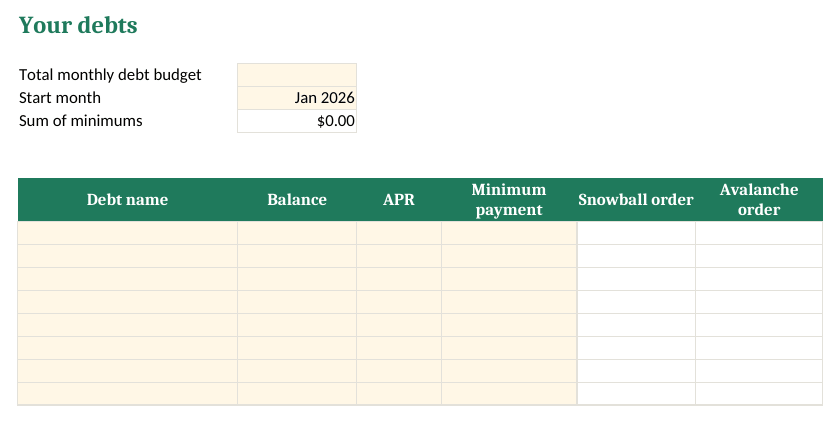
- Up to 10 debts with balance, APR, and minimum payment
- Snowball and avalanche side-by-side comparison
- Debt-free date and total interest
- Monthly debt budget input: anything above your minimums goes to extra payments
- Progress chart
Who it is for
- Anyone paying down credit cards or loans
- People choosing between snowball and avalanche
- Couples combining debts into one plan
Details
- Format: .xlsx, built for Microsoft Excel
- Instant digital download
- Instructions tab included
FAQ
Does it work in Microsoft Excel?
Yes. It is built for Microsoft Excel. It is a standard .xlsx workbook with no macros and no add-ins. The formulas use only built-in functions: AND, COUNTBLANK, COUNTIF, DATE, IF, ISNUMBER, MAX, MIN, MONTH, N, ROUND, ROW, SUM, SUMIF and YEAR. The file also uses a chart. We have checked the formulas by recalculating test copies in LibreOffice.
This is for informational purposes only and is not tax, legal, or financial advice.